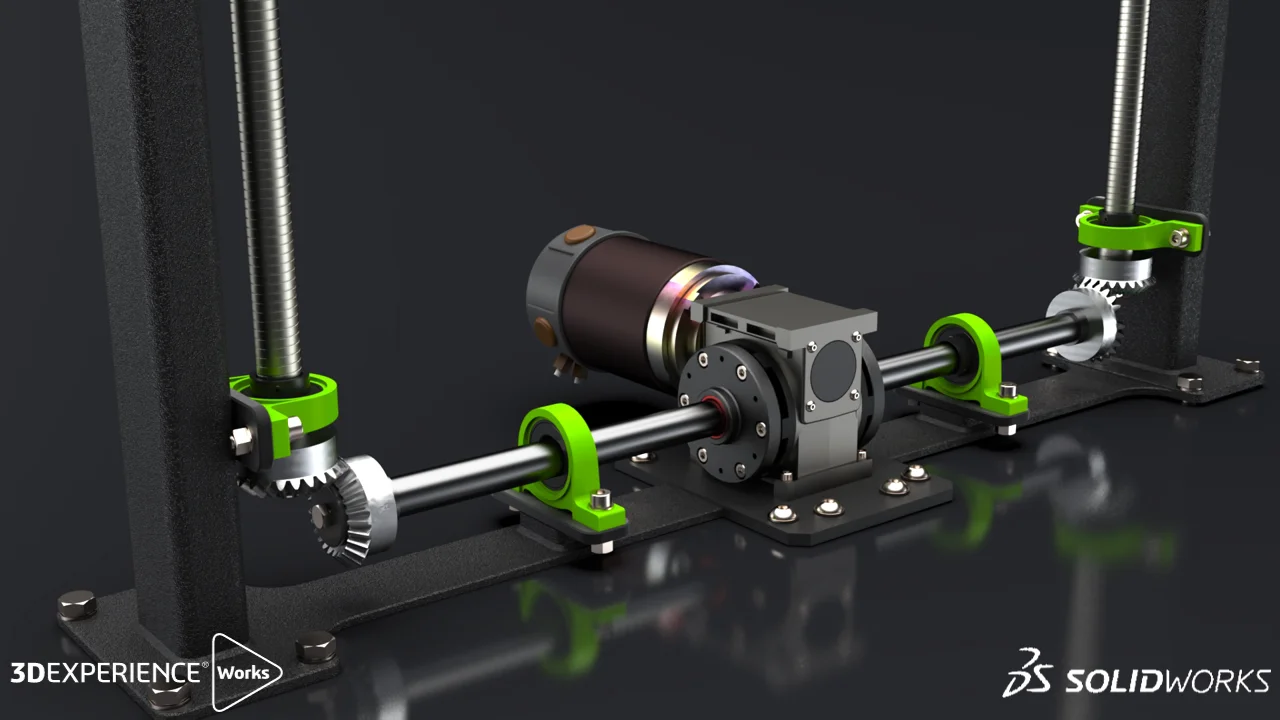
3DEXPERIENCE SOLIDWORKS is an excellent tool for manufacturers of Special Purpose Machines (SPM). It’s robust 3D CAD design features help you to design, simulate, collaborate, and manage your product development all in one place. This makes teamwork easier, allows design and engineering tasks to happen at the same time, and simplifies the entire process from idea to production.
The platform significantly enhances how you design and manufacture your products. Its user-friendly interface and large library of components make it easy for designers to quickly try out different ideas/iterations. Plus, its simulation tools let you thoroughly test designs and reduce the need for physical prototypes and speeding up the time to market. The cloud services also allow you to securely share, store, and manage your designs, making collaboration and design changes easier. Overall, 3DEXPERIENCE SOLIDWORKS helps companies innovate faster, cut costs, and deliver high-quality products that stand out in today’s competitive market.
For SPM manufacturers, SOLIDWORKS offers several key benefits:
1. Designing and Modelling
Part and Assembly Modelling: Create designs faster with high detail and more accurately, including 3D models and 2D drawings of complex parts and large assemblies and drawings typically in SPM.
Electrical Design Integration: Integration of electrical schematics with the mechanical design, essential for machines that involve complex wiring and controls with symbols and manufactures library managements.
Specific Tools for Specific Design Tasks: Work more efficiently with application of specific tools for holes, fasteners, sheet metal, injection molds, plastic and cast parts, weldments, surfacing, mesh models, reverse engineering, piping & tubing, and electrical routing.
Material Library
Mass Properties
Simulation and Validation
Finite Element Analysis (FEA):Engineers can validate the strength and durability of components using advanced Abaqus Solver, ensuring that the machine will perform as expected under operational loads.
Motion Analysis: Simulate the machine movements will helps to identify and resolve potential issues in the machine’s operation before physical prototypes are built.
Linear Static
Analysis
Time Based Motion Analysis
Automation and Standardization
Design Automation:Tools like DriveWorks & Excel’s are used to automate repetitive tasks, enabling quick customization of machine designs based on specific customer requirements.
Library of Standard Components: Access to a library of standard parts can significantly speed up the design process, ensuring that commonly used components are consistent across different projects
Excel Based Design Automation
Standard Fasteners Library Components
Collaboration and Data Management
3D CAD solution which comes along with in-build PDM/PLM capabilities. Designers can save data on the cloud, View your 3D Model without need SOLIDWORKS directly from the browser, define workflows, maintain revision and histories, manage tasks, access related documents, organize content, and instant message colleagues from anywhere at any time through any device, which is critical in collaborative SPM projects
Build-in Lifecycle / Data Management Capabilities
Manufacturing Integration
Integrated design and manufacturing solution, allowing for seamless transition from design to production. This is particularly useful for SPM manufacturers who need to quickly move from concept to production.
Mill Turn Operation with Automated M-Code & G-Code
Documentation and Communication
Technical Drawings:Generate detailed 2D drawings from 3D models and share as 3D PDF to ensuring that all specifications are clearly communicated to the manufacturing team.
Repurpose your 3D engineering models for creating graphical content to explain processes and procedures in technical communications, such as manufacturing assembly instructions, product manuals, installation instructions, service manuals, training guides, marketing brochures, and sales bidding kits.
PMI with 3D
PDF
Technical Documentation
Cost Estimation and BOM Management
Costing Tools:Estimate manufacturing costs with multiple iterations, helping to ensure that the machine can be produced within budget.
Bill of Materials (BOM) Management: Efficiently manage and generate BOMs, which is crucial for the procurement of materials and components in SPM projects. Can be exported to Excel with Thumbnail Preview.
Manufacturability Cost Estimation
BOM to Excel with Thumbnail Preview
Automated Ballooning for FAIR
Automates the ballooning of engineering drawings and 3D files with Product and Manufacturing Information (PMI). Minimizing the time needed to record inspection measurements and streamlines the creation of industry-standard First Article Inspection Reports (AS9102, PPAP, etc.).
Automated Dimensional Ballooning
Pass/Fail Confirmability Test Report
Marketing Content creation
Advanced rendering:Create photorealistic images, animations, immersive content and more with SOLIDWORKS Visualize
Walk-through/fly-through animations:Take a virtual walkthrough of your design or record a video.
Assembly animation:Demonstrate your design’s basic operations by applying motion, gravity, and component contact, or by manually moving components record and save a video.
Photorealistic Rendered Images
Integrating SOLIDWORKS into your SPM manufacturing process, it can streamline the entire workflow from design to production, improving both efficiency and product quality.
Would you like more detailed information or a demonstration on any specific features?