In MS Word all Macros are “Disabled by default” in some of the PCs. PDM Values has to be updated in Word document and this will be done using a “AutoOpen” Macro. This has to be enabled so that MS Word will properly communicate with PDM Environment.
Without the macro, if you update the value of the linked fields by editing the file data card, the values are not automatically updated when you open the document. Please use the below steps to enable the macro.
STEP 1: Click File
STEP 2: Go to Options
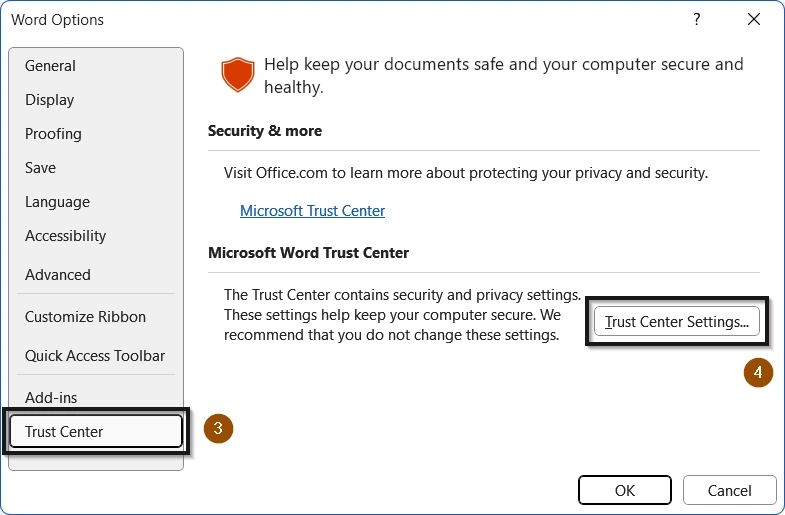
STEP 3: Click Trust Center -> Trust Center Settings
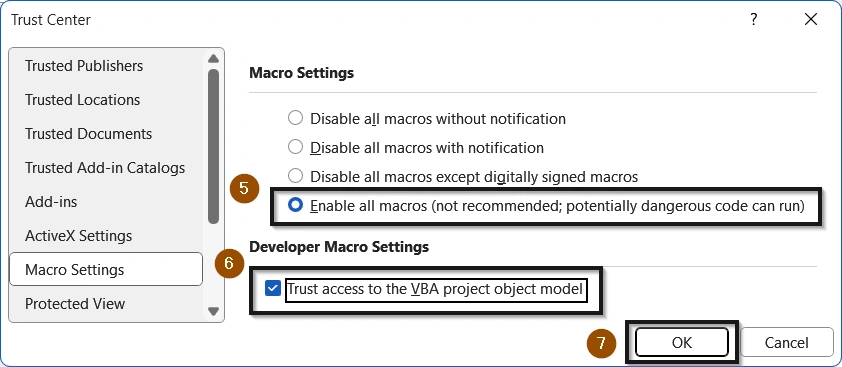
STEP 4: Select Enable all Macros. Also Enable Trust access to the VBA project Model. Click OK
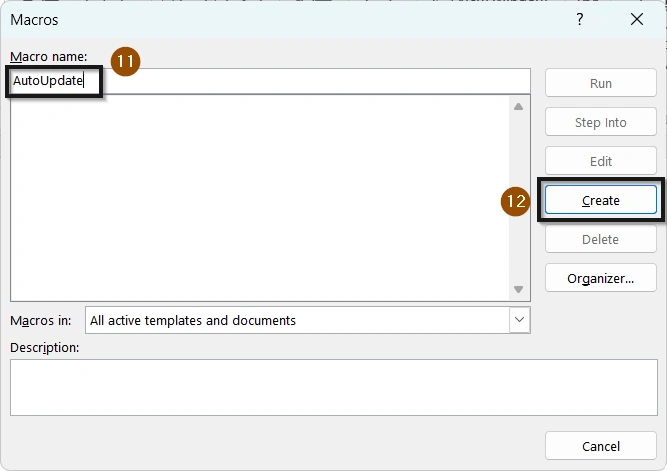
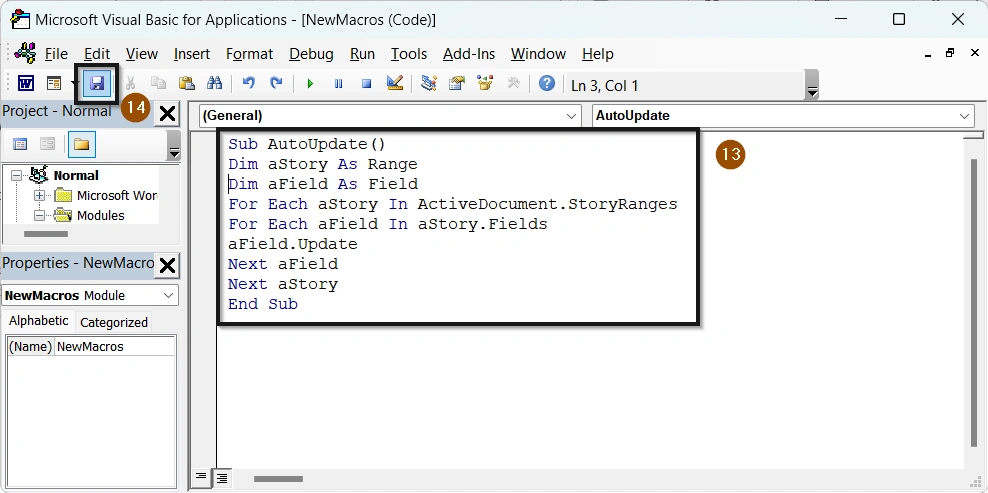
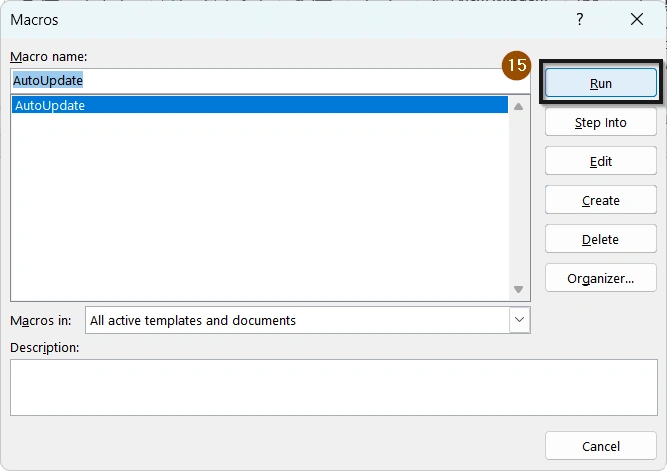
STEP 5: If still the Fields are not Updating, Create a New Word Document and Create & Run “AutoUpdate” Macro & Save the Document.
AutoUpdate Macro: Dim aStory As Range Dim aField As Field For Each aStory In ActiveDocument. StoryRanges For Each aField In aStory.Fields aField.Update Next aField Next aStory
After Saving the Macro, Run the Macro and Save the Word Document.
This will solve if there is any “AutoUpdate” Macro problem exists in the Microsoft Word.
Thanks for reading!! Stay tuned for another tips and tricks or tutorial updates!!!
Contact Us: Have questions or need assistance? Feel free to reach out!