Function Curves:
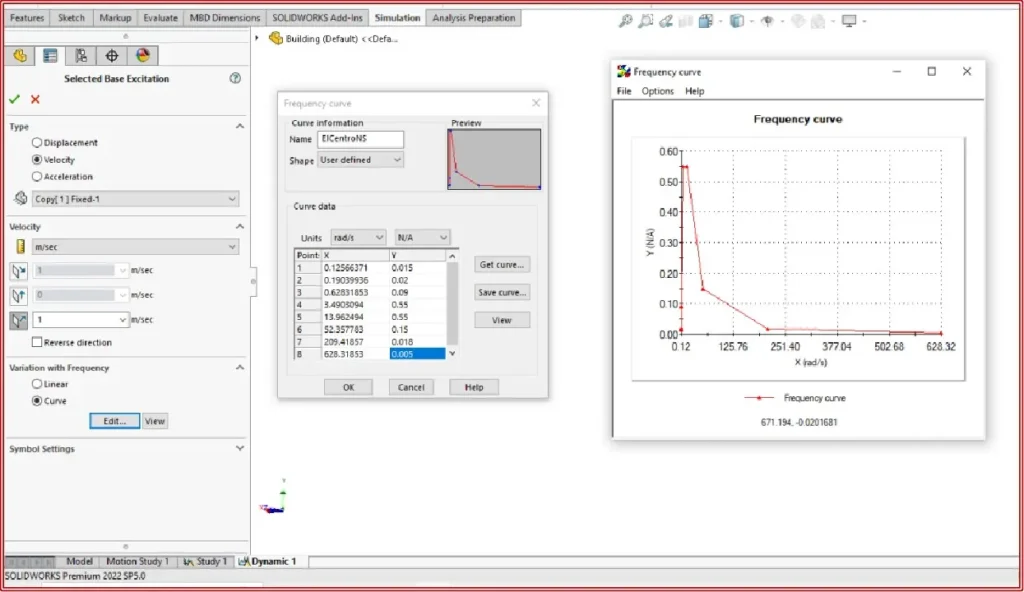
- Function curves define pairs of values that may be used in various sorts of investigations. One can build and change Simulation curve libraries in the Function Curves in SOLIDWORKS Simulation dialog.
- It is recommended that utilize this box to save all of your commonly used curves to a library, so that you may use them in subsequent studies and documents more easily.
Curve Definitions
To create a new Curve Library or edit an existing one:
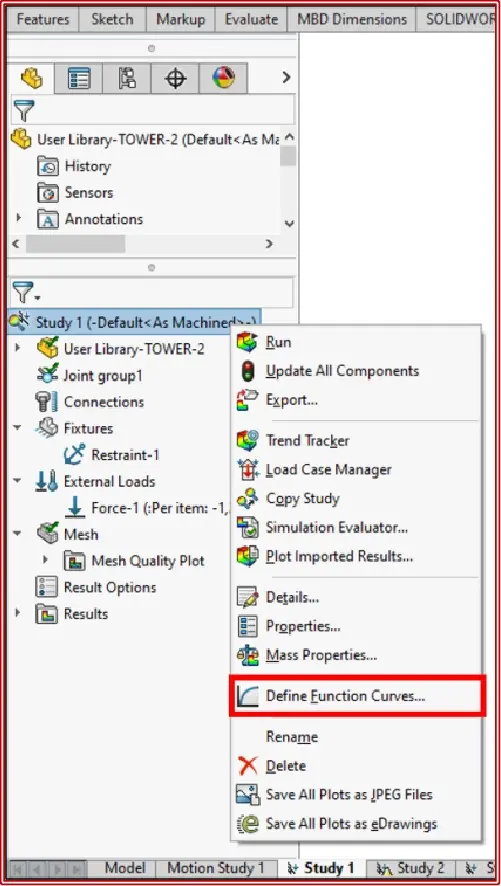
- In the Simulation study tree, right-click the study icon and select Define Function Curves in SOLIDWORKS Simulation.
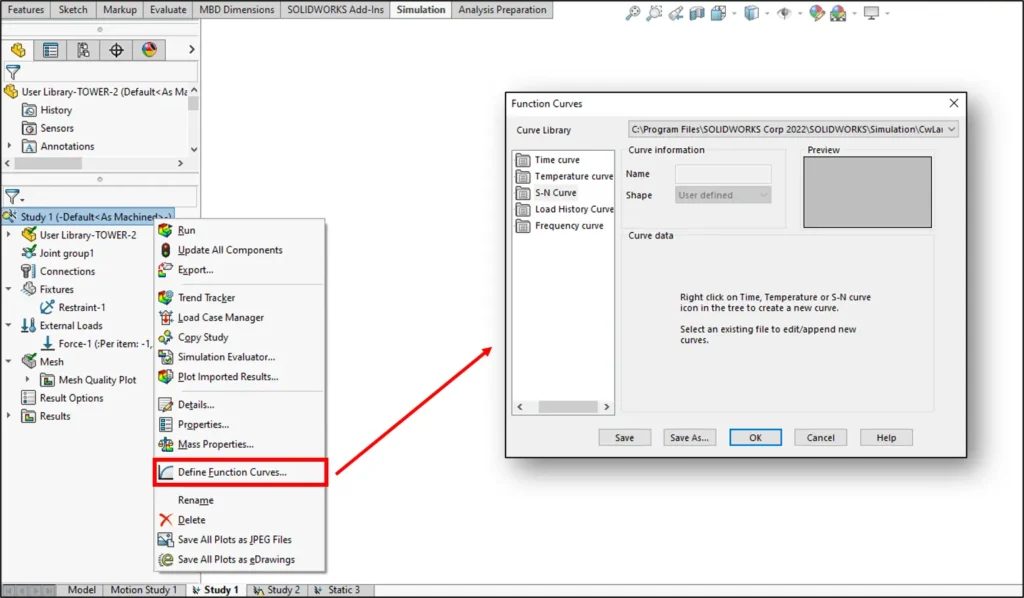
- In the Function Curves in SOLIDWORKS Simulation dialog box:
a. Browse for an existing library to choose from or type in a name for a new library. (cwcur) is the extension for Simulation Curve libraries.
b. Pick one of the following actions in the Curve Library box:
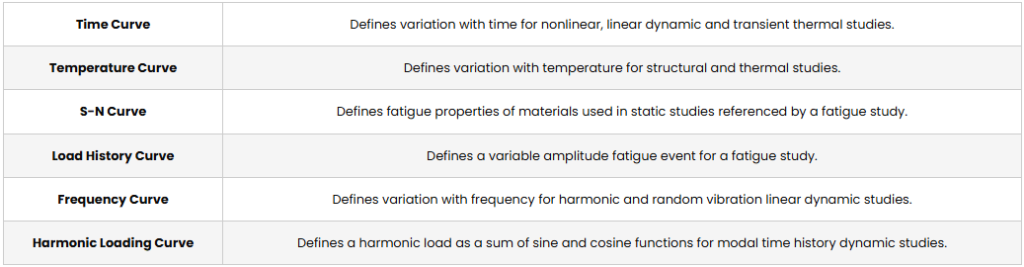
- To define a time curve, right-click Time Curve and choose Create Curve.
- To define a temperature curve, right-click Temperature Curve and choose Create Curve.
- To define an S-N curve, right-click it and choose Create Curve.
- To create a load history curve that may be used to design a variable amplitude fatigue event, right-click the load history curve and choose Create Curve.
- To define variation with frequency for harmonic and random vibration linear dynamic investigations, right-click Frequency Curve and choose Create Curve.
-
Select the name of an existing curve to update or provide a name for a new curve in the Name box.
-
Do the following in the Curve Data box:
- Specify the needed units based on the curve type.
- Click File and browse to import a curve from an external text file.
- Double-click in the Points column to create a new row.
- Fill in the blanks in the X and Y cells as desired. To populate the curve, simply cut and paste.
- To delete a row, select it and press the Delete key, or right-click it and choose Delete.
5. Click View to create a graph of the curve.