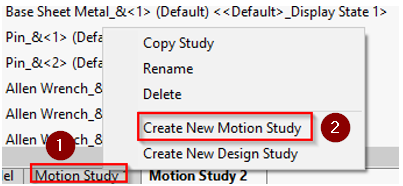
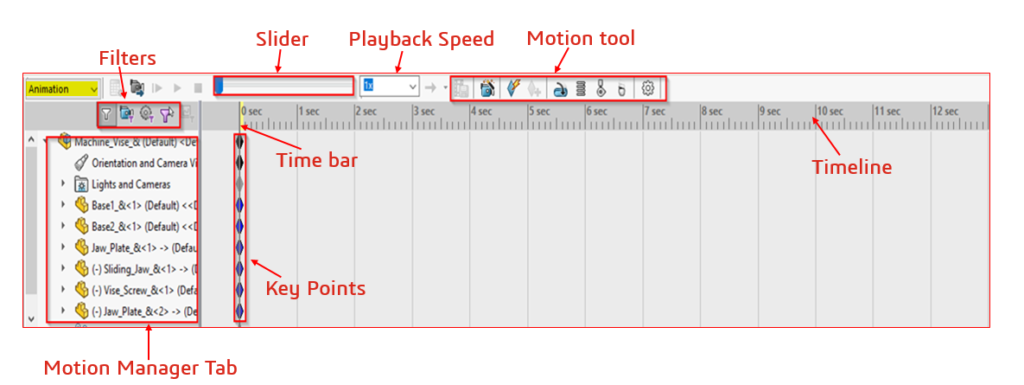
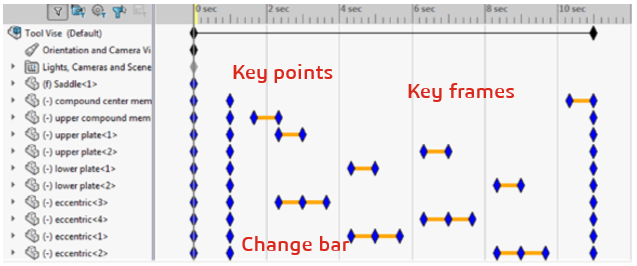
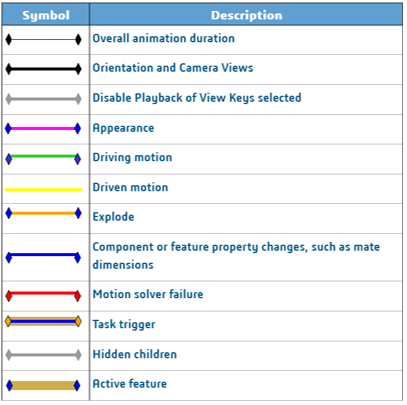
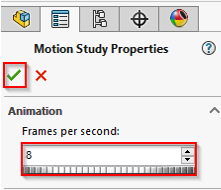
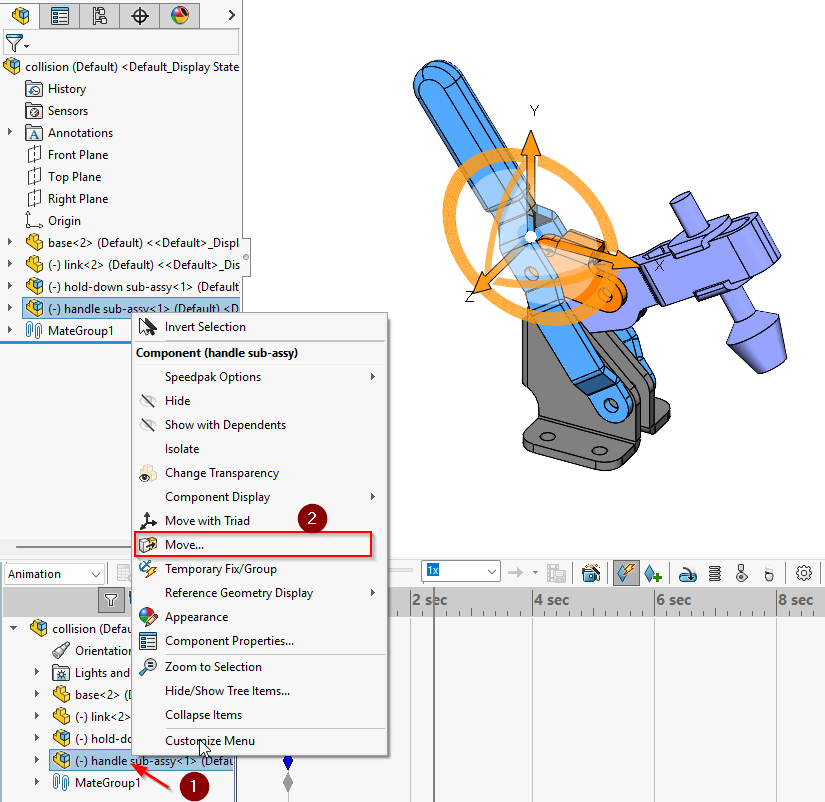
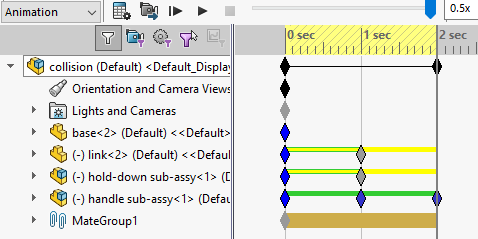
How to Create Simple Animations in SOLIDWORKS: A Step by Step GuideBy EGS Computers India Pvt Ltd / April 10, 2025 A motion study in SOLIDWORKS is a simulation tool to analyze and visualize the movement of assemblies over time.It helps understand part interactions, evaluate mechanical motion, and identify design issues.Types of Motion StudyAnimation: Create basic animations to visualize the motion of assemblies.Basic Motion: A simplified physics-based simulation tool that analyzes the movement of assemblies (like mass, gravity…)Motion Analysis: Conduct detailed simulations with advanced physical properties by using SOLIDWORKS Motion Add-in (requires SOLIDWORKS Premium).What do we animate in SOLIDWORKS?Component PositionComponent PropertiesViewCreation of New Motion tab:Click Motion Study tab at the bottom of the SOLIDWORKS Window.In the Motion Manager, Click Create New Motion Study.(Or)Click Assembly at Command Manger tab and Click New Motion Study Figure – 1 Figure – 2 Motion Manager Interface:Once created the Motion Study tab, then select an Animation Figure – 3 Motion Manager Features:Key points – mark component locationChange bar – indicates movement or transitions propertiesKey frame – segments of Key points and Change bar Figure – 4 Color Code for Change bar:Change bars are the horizontal bars connecting key points.Changes include:Animation durationComponent motionView orientation such as rotationVisual properties such as color or view Figure 5 Motion Study Properties:Right-click the Motion Study Tab and click Properties.Set the Frame per second, then click ok.(Note: Based on Frame second animate video quality will increase) Figure 6 Creating Simple Animation:In Motion Tab, Drag the time bar in the time line to set duration of animation.Right-Click the component and select Move option, then Drag the component in Graphics area. Figure 7 Figure 8 Based on the movement keys points will be generate automatically. Figure 9 (Note: Before creating an animation, we need to maintain proper mate, then only can we generate it without errors.) Contact Us: Have questions or need assistance? Feel free to reach out!Email: mktg@egs.co.inPhone: +91 94454 24704