SolidWorks Electrical allows the designers to replace the title blocks instantly during the design process.
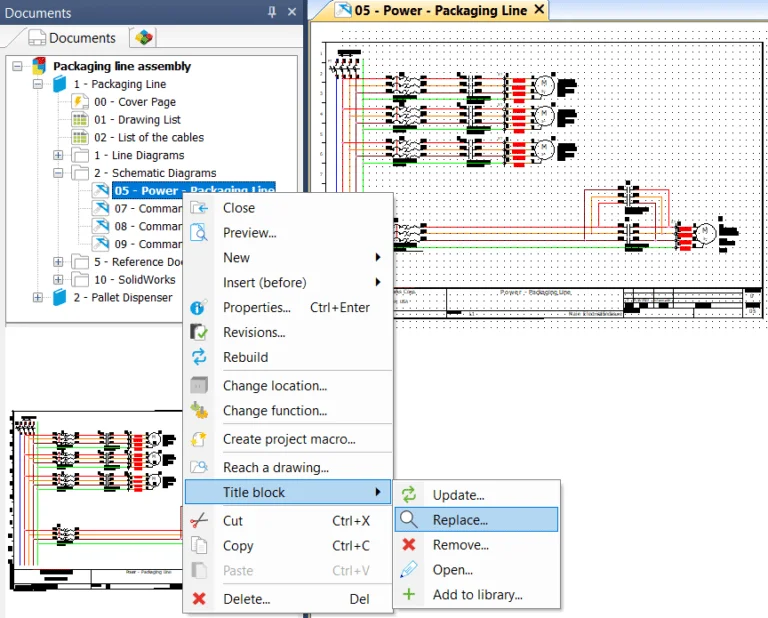
Open the Project documents which contain schematic sheets as shown below in figure 1.
Figure 1. SolidWorks Electrical Project Document
Right-click on the schematic sheet that you want to change the title block as shown below in figure 2.
Figure 2. Replace Title Block for the selected sheet
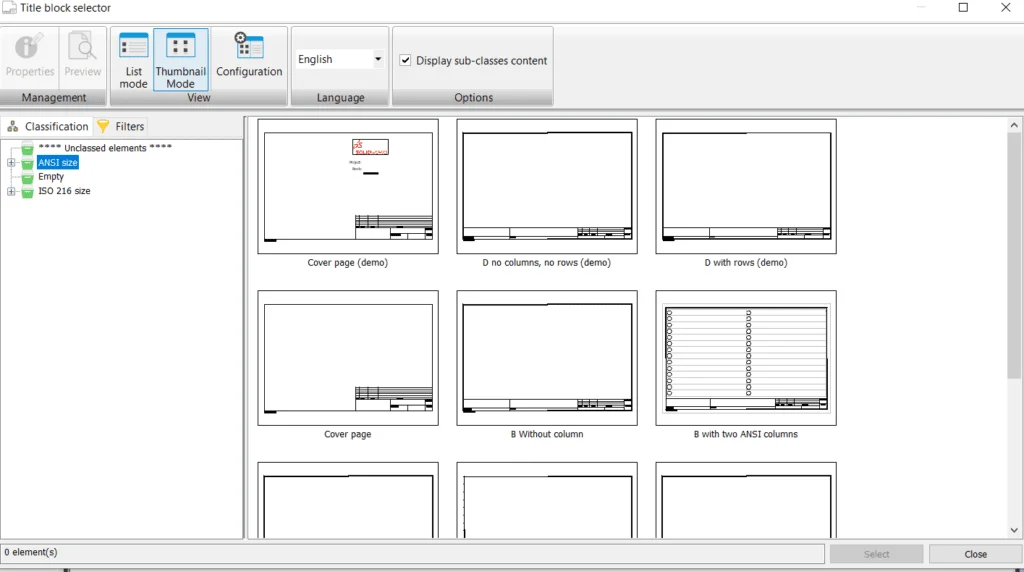
Click on the Replace button and select the Title block from the Title block Selector as shown below in figure 3.
Figure 3. Title Block Selector
The Title Block Selector dialog permits the user to select a new title block.
Once after replacing the title block, SolidWorks Electrical gives a pop-up dialog about whether the user wants to apply this title block to all the related document sheets available in the project folder.