In today’s fast-paced engineering world, involving multiple people and complex processes, locating specific data can be time-consuming and inefficient, as files may be scattered across various storage locations.
Searching for data in a scattered environment without a centralized system presents several disadvantages and a lot more complexities, especially in a product design and development environment involving CAD and other related data. Collaborating on projects can be challenging when team members cannot easily search and access the same data, and duplicate files can make it hard to identify the ‘source of truth’ for a design.
3DEXPERIENCE Make Data Search Easy by providing advanced search capabilities that solve these challenges. Data search has evolved a long way, from storing files and folders physically to storing them digitally on local servers. Today, it’s been a huge leap with cloud technology, where we can search our data easily with advanced filters and metadata, thanks to platforms like 3DEXPERIENCE.
SOLIDWORKS, evolving with new features to meet user and industry needs, now offers 3DEXPERIENCE cloud services with enterprise-level collaboration, product data, and lifecycle management capabilities, which are scalable when required. This comprises the advanced search capabilities for ease. 3DEXPERIENCE Make Data Search Easy by allowing users to search beyond CAD models, including non-CAD files, projects, tasks, workflows, issues, change actions, community posts, and other PLM objects on the platform.
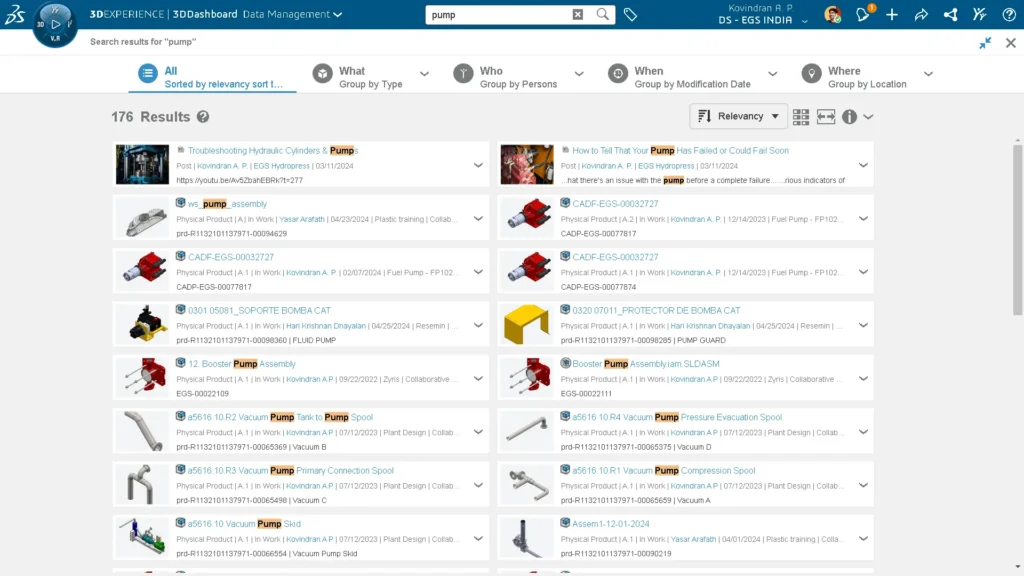
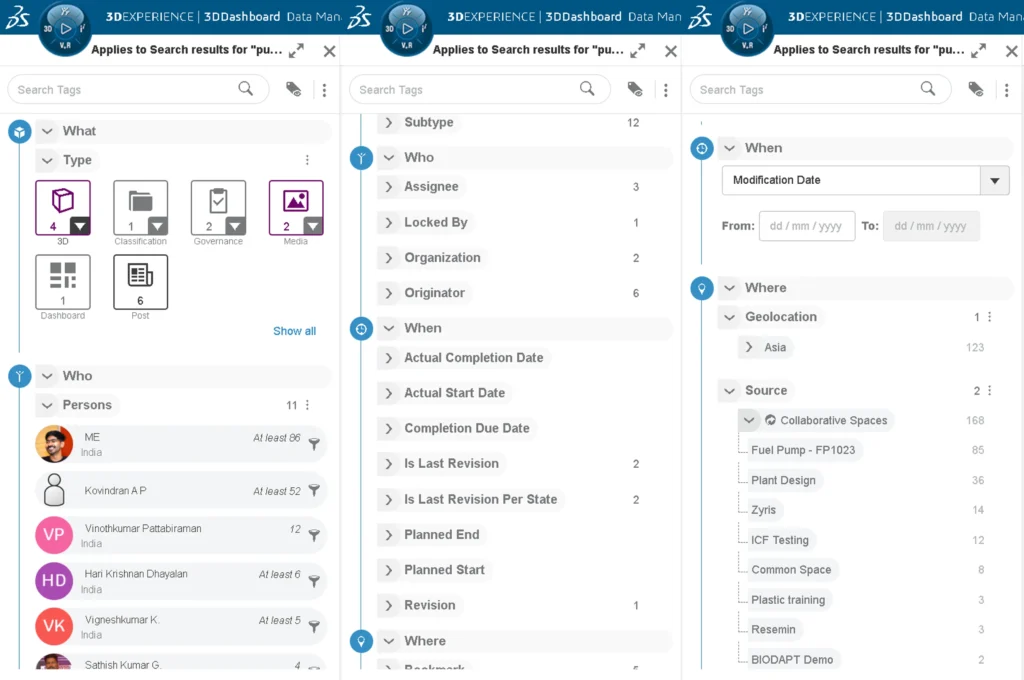
You can search the file name or any other related keywords or metadata like description, part number, etc., to preview or open them with any desired app. Once the results appear, you can utilize the 6W tags like what, who, when, where, why, and how. 3DEXPERIENCE Make Data Search Easy by enabling users to link any SOLIDWORKS custom properties to the 3DEXPERIENCE attributes and use them with any of the 6W tags for easier search.
For example, you can apply filters like:
- What type of content you are looking for: 3D, 2D, a task, a PDF, a project, and more.
- Based on ownership of files: who has worked on it or who is currently working on it.
- When the file was created or modified.
- Where it is located: a specific project or a specific cloud folder.
- A specific revision or the latest revision of a file.
- What is the lifecycle state of the file: still under work, waiting for approval, or released.
- What material the component is made of.
- Any custom property like checked by, released by, supplier, and many more.
3DEXPERIENCE Make Data Search Easy by also accepting advanced search queries like:
- Search with hundreds of object types available; DOC: for documents, SWprt:, SWasm:, SWdrw: for part, assembly, or drawing respectively.
- Exact words with (+) plus operator.
- Use (-) symbol before the string to exclude them.
- Use a star as wildcards. Example: mill* returns mill, milled, milling, mill-turn, etc.
- Use double quotes to search exact phrases. Example: “customer requirements.”
- Use logical expression operators like OR, AND, NOT to build your own queries.
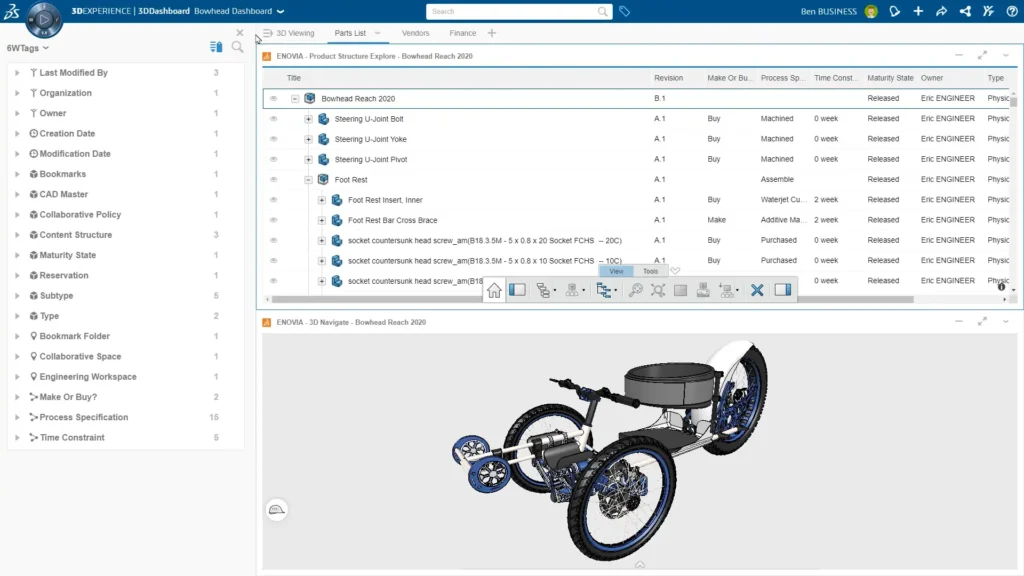
You can also restrict your search or filter to an active dashboard or widget. For example, while you are exploring your product structure tree or in 3D, you’ll be able to filter that specific product with advanced 6W filters and show only those components or colorize them based on your criteria
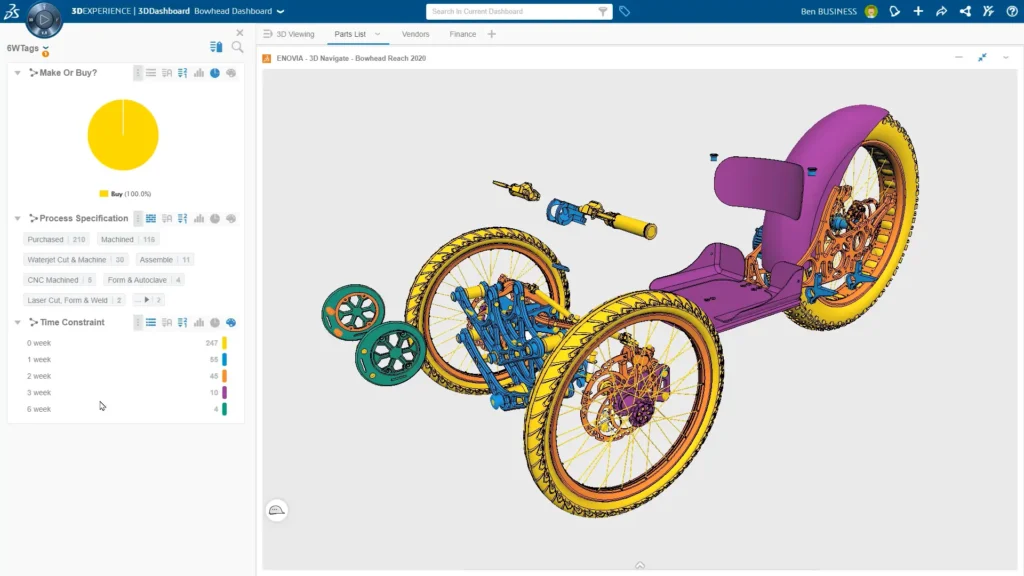
Any search you are performing can be saved to your favorite searches, including any filters applied, for later use. You can also configure your dashboard with multiple 3DSearch widgets for easy access anytime and anywhere. These favorited searches or dashboards can also be shared with other people in your organization easily.
While these advanced capabilities help to search your data easily, it is important to manage and control our data precisely, whether as a single user or even in a collaborative environment. 3DEXPERIENCE Make Data Search Easy and provides a solution for managing your data, so you can focus on designing better products for the world.
The 3DEXPERIENCE platform, which you get with SOLIDWORKS, takes care of these situations for managing your data. Contact us to know more about eliminating your design data management hassles.